ChipRoll - Game Boy Music Composer (Beta)
A downloadable tool
Make music on your Game Boy.
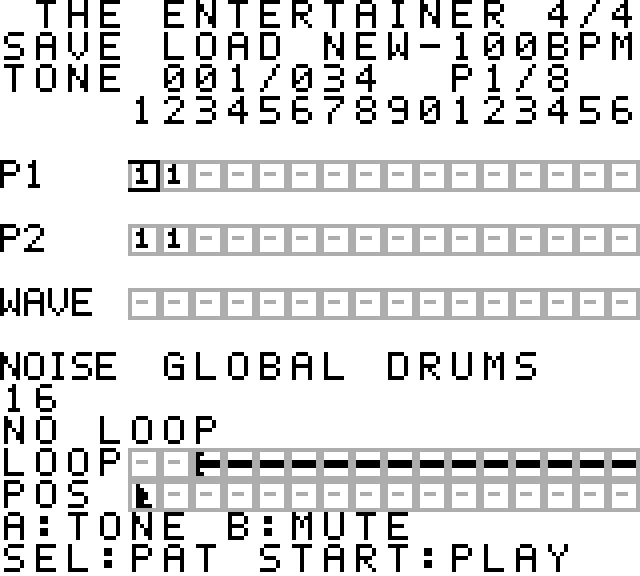
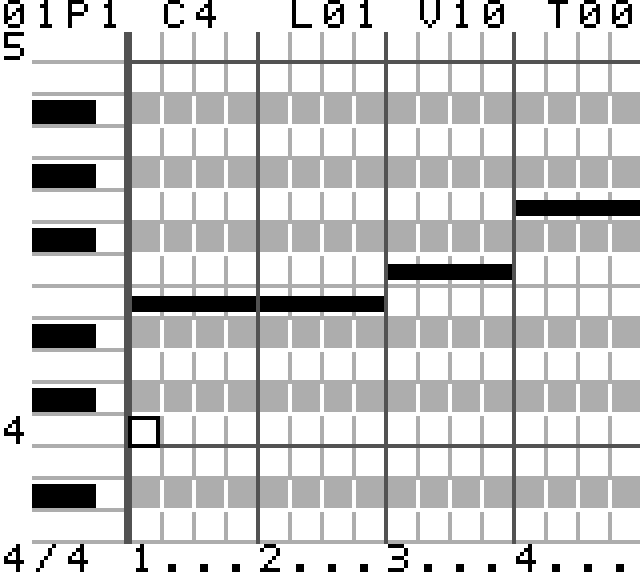
ChipRoll is a music composition tool for the Game Boy, built around a piano roll and a pattern-based song grid.
Write melodies, bass lines and drum patterns, then arrange them into songs using all four of the Game Boy’s sound channels.
Features
- Piano-roll editing with sixteenth-note timing and adjustable note lengths.
- All four sound channels: two pulse channels, wave and noise.
- One-bar patterns and arrangements up to 128 bars long.
- 63 shared melodic patterns and 15 noise patterns per song.
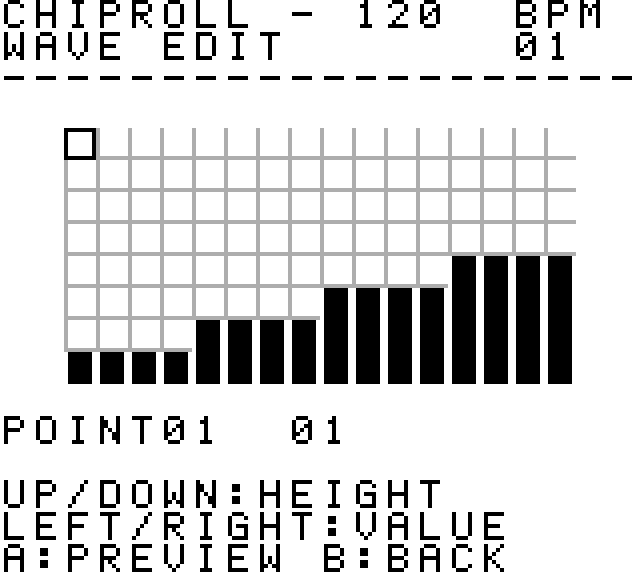
- Editable tones, waveforms and 16 noise drum sounds.
- Per-note volume and per-bar tone changes.
- 3/4 and 4/4 time signatures, with tempos from 40 to 240 BPM.
- Finite and infinite loops, channel muting and automatic scrolling during playback.
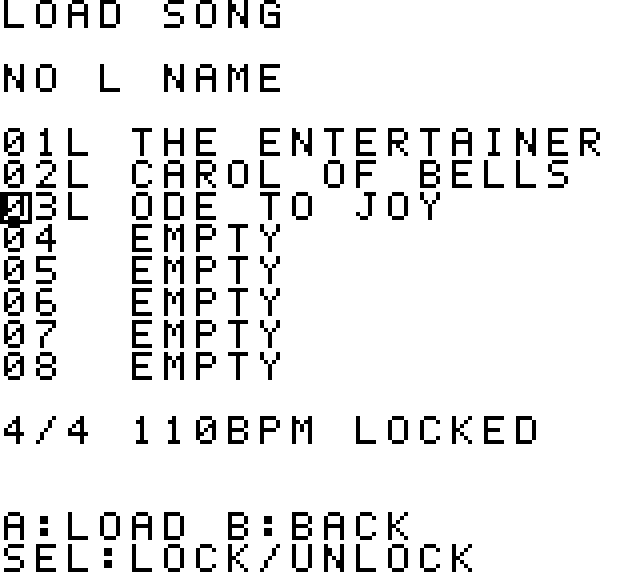
- Eight song slots with overwrite locks.
Three editable demo songs
- The Entertainer — Scott Joplin
- Carol of the Bells / Shchedryk — Mykola Leontovych
- Ode to Joy — Ludwig van Beethoven
Explore the demos, change their patterns and sounds, or select NEW to start from scratch. The demo slots are initially locked against overwriting; you can save an edited copy to an empty slot.
Getting started
Download CHIPROLL.GB and open it in a Game Boy emulator, or use a compatible flash cartridge.
For hardware saving, the cartridge must support MBC5 and 32 KB of battery-backed SRAM. In an emulator, make sure battery-save support is enabled.
Demo playback has been tested on ModRetro Chromatic. Emulator testing uses mGBA.
Basic controls
- D-pad: Move the cursor and adjust values.
- A: Select, edit and confirm.
- START: Play or stop.
- SELECT: Switch between the main editing views. In a piano roll, open the tone and volume menu.
- B: Return to the previous screen. During note editing, discard the unconfirmed change and return to pattern selection.
To enter a note, press A, adjust its length with LEFT/RIGHT, then press A again to confirm. Reducing the length to zero deletes the note when confirmed.
Use SAVE to keep your changes. On the song list, SELECT toggles the overwrite lock. After saving, ChipRoll opens your last saved song on the next startup.
About this beta
This download contains the Game Boy ROM only.
ChipRoll is still in development. Features and save formats may change, so please back up your .sav files before updating.
Feedback is welcome! If you encounter a problem, please leave a comment with your hardware or emulator, what you were doing, and the steps needed to reproduce it.
Download
Leave a comment
Log in with itch.io to leave a comment.